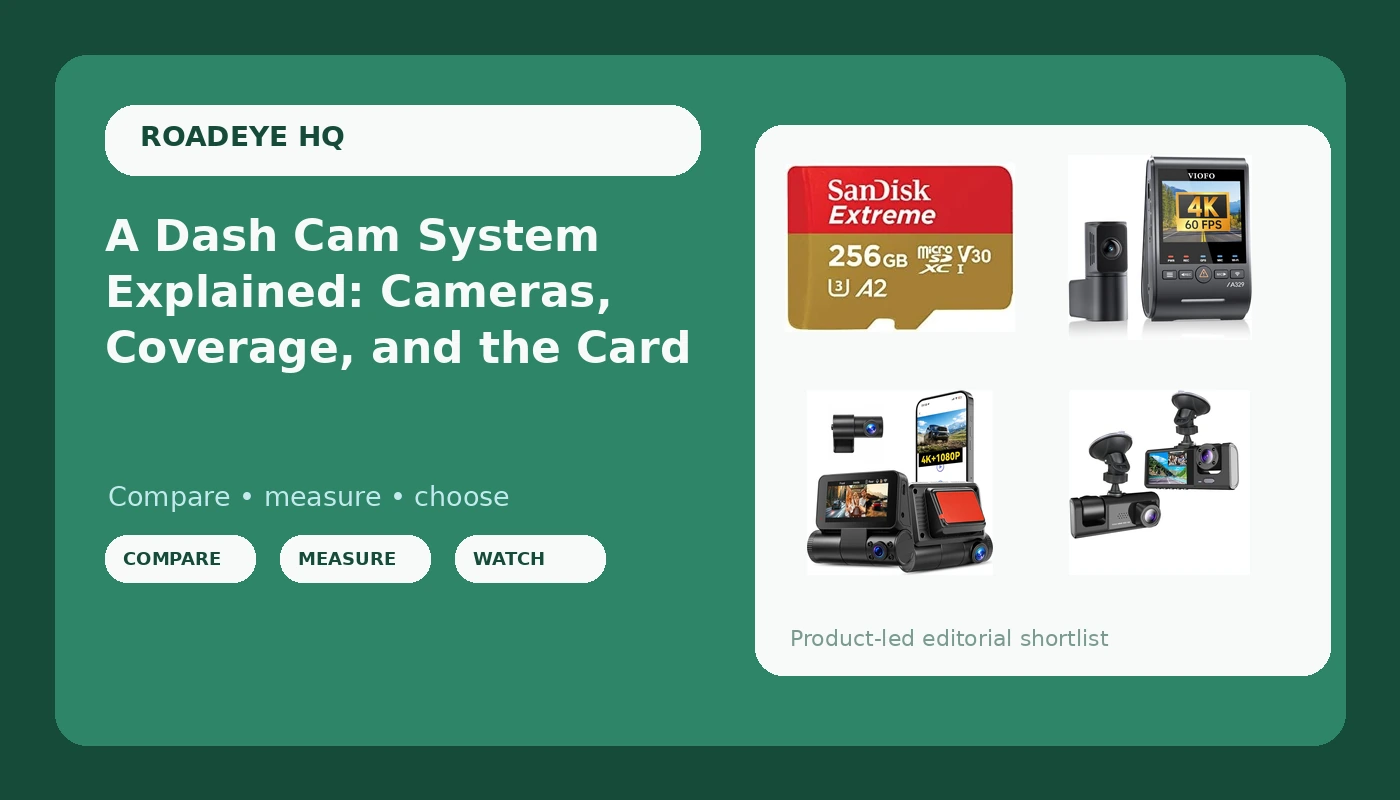
Most people shopping for a dash cam system start with the camera and stop there. The box arrives, it goes on the windshield, and then something goes wrong six months later: the card corrupts, the clip is unreadable, or the crash happened in a direction the lens never covered. I spent six years driving rideshare in Phoenix, and I have watched that exact story play out in driver groups more times than I can count.
A dash cam system is really three decisions stacked on top of each other. How many directions do you record? How much image detail do you actually need? And what is the footage stored on? The four products below answer those questions at three different levels, from a simple front and cabin recorder up to a three-channel unit that also watches the cabin, plus the memory card that quietly decides whether any of it holds up. Here is how to think through each one before you spend anything.
Related: Why Your Dash Cam Shuts Down in Summer Heat →
Quick answer
Start with coverage, not the resolution printed on the box. If you carry passengers or drive for a living, a three-channel camera recording front, rear, and cabin gives an insurance adjuster the most context in one set of files. If you mainly want a clean record of what happens ahead of and behind the car, a dual-channel 4K camera with a strong sensor is the simpler path. If you want basic front and cabin coverage, a compact single-unit recorder does that job. In all three cases the memory card matters as much as the camera, because a card that fails takes the evidence with it.
Four useful options
| Model | Best fit | What stands out |
|---|---|---|
| VIOFO A329S 4K 60FPS Dash Cam Front and Rear, STARVIS 2 HDR, Wi-Fi 6 | Drivers who want maximum front and rear detail | 4K at up to 60fps front and rear, STARVIS 2 HDR sensor, Wi-Fi 6 |
| 4K 3 Channel Dash Cam Front and Rear Inside, 4K+1080P FHD Car Camera,Dash Camera for Cars Car Camera with GPS WiFi App Control 150° Wide Angle Night Vision G-Sensor Loop Recording Parking Monitoring | Rideshare, taxi, and family drivers who need the cabin in frame | Front, rear, and inside channels, 4K plus 1080P FHD, GPS, Wi-Fi app control, 150° lens |
| Dash Cam for Car Security Dash Camera Front and Cabin Car Video Recorder | A first camera with front and cabin coverage | Front and cabin recording in one unit |
| SANDISK 256GB Extreme microSD Card + Adapter, Up to 190MB/s Read Speeds | Continuous recording where capacity runs out fast | 256GB capacity, up to 190MB/s read speeds, adapter included |
Footage first: VIOFO A329S 4K 60FPS Dash Cam Front and Rear, STARVIS 2 HDR, Wi-Fi 6
The trade-off here is storage and heat. A 60fps 4K stream writes a lot of data per minute, which means a smaller card fills faster and a slow card becomes the bottleneck. High frame rates also do not magically make a plate readable: lens angle, distance, and light still decide that. What this camera buys you is the best chance of detail in the two directions that matter most for a rear-end or a lane-change dispute, plus a transfer method that does not require pulling the card every time you want to check something.
Coverage first: 4K 3 Channel Dash Cam Front and Rear Inside
The cabin channel is the reason to buy this one. If a passenger dispute, a fare argument, or an insurance question about who was in the car ever comes up, the interior view is the footage that answers it. Two things to plan for: three channels generate more heat and more data than two, so parking mode really needs a hardwire kit rather than the cigarette lighter, and the card has to be sized for three streams instead of one. Parking monitoring in the listing only becomes useful once the camera keeps power with the ignition off.
Entry point: Dash Cam for Car Security Dash Camera Front and Cabin Car Video Recorder
This is the "something is better than nothing" slot, and there is nothing wrong with that as long as you go in with clear expectations. You are not getting a documented sensor generation, a stated bitrate, or a GPS track here. What you should check before buying: what card capacity it accepts, whether loop recording is stated, how it handles heat, and whether the mount is adhesive or suction. A camera at this level is a witness that may or may not be running when you need it, so the honest move is to test it for a week before you trust it.
The storage layer: SANDISK 256GB Extreme microSD Card + Adapter, Up to 190MB/s Read Speeds
Here is the part most buyers skip. Read speed is what the card does when you copy files off it. What a dash cam cares about is sustained write performance under heat, thousands of times over. Capacity and read speed are useful, but the rating that keeps a card alive through constant rewriting is the endurance rating, and that has to be verified on the card and the listing rather than assumed from the product family name. If you cannot confirm an endurance rating, plan to replace the card on a schedule instead of waiting for it to fail.
Prices and availability may change. Product images, names, and retailer links are matched to verified listings. No current price, rating, stock status, or measured result is stated here without current evidence.
What an insurance claim actually needs
Footage is only worth what it can prove. I learned that the hard way: the first time I was rear-ended, the other driver told the officer I ran the light, and with no camera there was nothing to argue with. Three months of he-said-she-said later, my premium went up anyway. The second time, with a camera on the glass, the claim settled in nine days.
An adjuster wants three things from a clip. A legible plate, or at least a vehicle and driver description that can be matched. A timestamp that lines up with the incident report. And context, meaning enough of the surrounding seconds to show what happened before the impact, not just the moment of contact. That is why coverage matters more than a resolution number: a 4K camera pointed only forward cannot prove what the car behind you did, and a three-channel camera that recorded the cabin cannot help if the card corrupted and the loop started overwriting the file you needed.
How the camera and the card work together
Bitrate is the number almost nobody checks. It is the amount of video data recorded per second, and a high-resolution camera running a low bitrate can look worse than a well-tuned 1080p camera. Resolution on the box tells you the frame size. Bitrate and sensor quality tell you whether a plate is readable at 40 mph at night, which is the only test that matters.
Loop recording is the other piece. When the card fills, the camera overwrites the oldest files. If that process stops silently, you find out when you go looking for a clip that is not there. A larger card buys you more days of history before overwriting begins, and a card that can sustain constant writing buys you reliability.
Five steps I would use before buying:
- Count the directions you need recorded, then add the cabin only if passengers or cargo are part of your risk.
- Decide the smallest resolution you would accept for a plate at highway speed, and treat anything above that as a bonus rather than the goal.
- Match card capacity to your bitrate and how many days of history you want, not to the biggest number on sale.
- Confirm the endurance rating on the card itself, since that rating is what survives continuous rewriting and summer heat.
- Plan the power source. Parking monitoring without a hardwire connection is a feature on paper only.
Setting it up so it works when it counts
- Format the card in the camera, not on a computer, and reformat it on a regular schedule.
- Test playback from the card on a computer before you trust the install, not just in the phone app.
- Mount the camera where the lens sees the road, not where the mount is convenient, and check the view before tightening anything.
- Run a heat check: park in the sun for a few hours and confirm the camera still records when you start the car.
- Keep the adapter and a spare card in the glovebox so a failure costs you minutes instead of a claim.
Which option should you choose?
Choose the VIOFO A329S 4K 60FPS Dash Cam Front and Rear, STARVIS 2 HDR, Wi-Fi 6 when the priority is detail ahead of and behind the car and you want a modern sensor and fast transfer. Choose the 4K 3 Channel Dash Cam Front and Rear Inside when you carry passengers and need the cabin recorded alongside the road. Choose the Dash Cam for Car Security Dash Camera Front and Cabin Car Video Recorder when you want front and cabin coverage from a compact unit and are willing to verify the feature list yourself. Choose the SANDISK 256GB Extreme microSD Card + Adapter when you need capacity for continuous recording, and confirm the endurance specification on the listing before you rely on it.
One caveat that applies to every product here: the descriptions above come from the listings, not from a bench test in my garage. Nothing in this article tells you how any of these cameras performs at night at 40 mph, how it holds up on a 130°F dashboard, or how much current parking mode draws. Those are the questions that decide whether a camera is worth keeping, and they can only be answered by your own footage and your own install.
The bottom line
A dash cam system is a camera, a card, and a power plan, and the weakest of the three decides how useful the whole thing is. Buy coverage you will actually use, size the card for the data your camera writes, verify the endurance rating instead of assuming it, and test the setup before you need it. The point is not to own a gadget. It is to have a clip ready the next time someone else tells a different version of what happened.