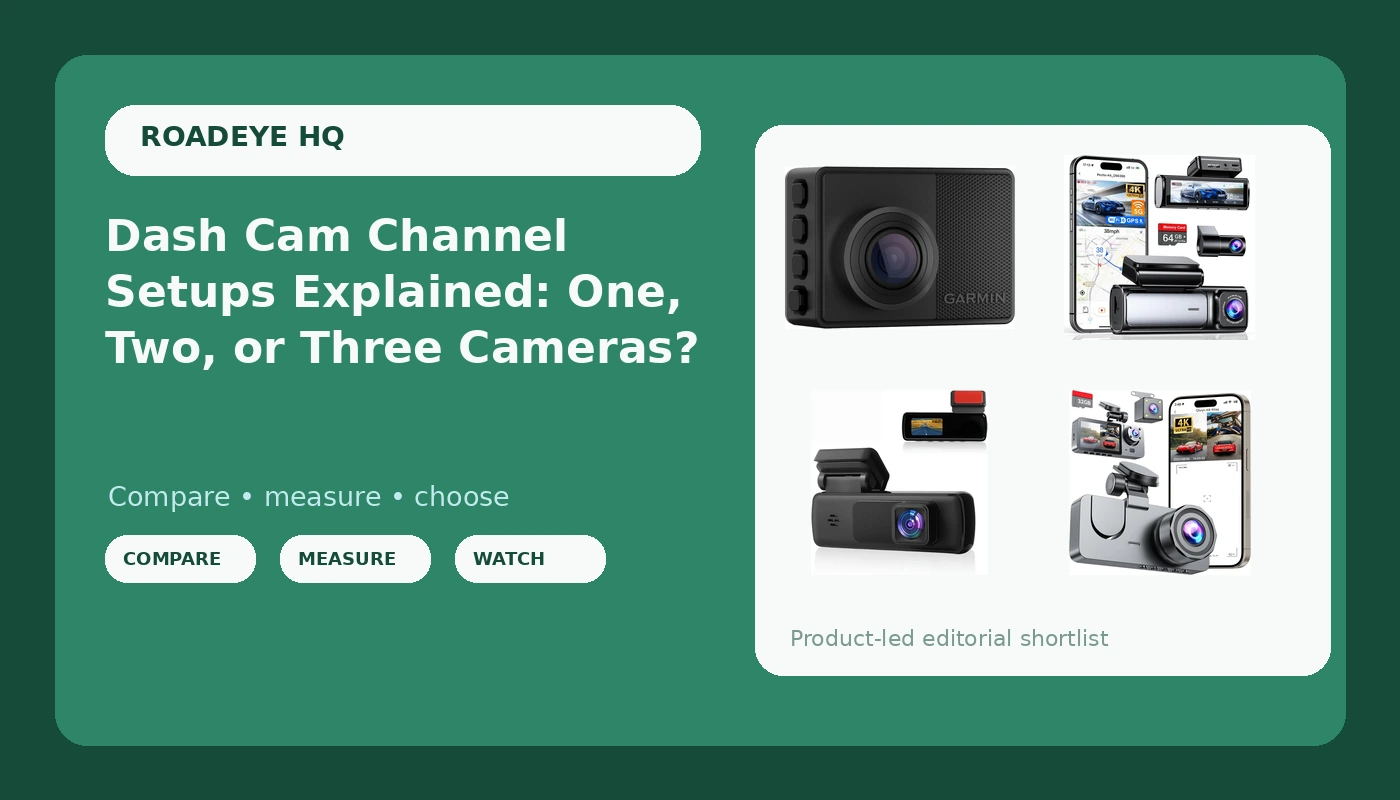
Most dash cam shopping goes wrong in the same place. People compare resolution stickers and app screenshots before they ever decide how many cameras they need and where those cameras point. That order is backwards. A single front-facing camera records what happened ahead of you, and nothing else. It does not record the tailgater who rear-ended you, the lane-change contact on your right rear quarter, or the passenger who says they were already hurt before you touched the brake. Understanding dash cam channel setups before you shop is what keeps you from buying a witness that was looking the wrong way.
Related: Hardwiring a Dash Cam for Parking Mode →
Quick answer
Channel count is the first decision, not the last. A one-channel front camera is the simplest way to document what happens in front of you. A two-channel front-and-rear setup covers the two angles most collisions actually involve. A three-channel setup adds the cabin, which matters most for rideshare and delivery drivers. Choose the coverage first, then check whether the resolution, the bitrate, and the storage can hold up well enough to read a plate.
4 useful options
| Model | Best fit | What stands out |
|---|---|---|
| Garmin Dash Cam 67W, 1440p and Extra-Wide 180-degree FOV, Monitor Your Vehicle While Away w/New Connected Features, Voice Control, Compact and Discreet, Includes Memory Card - 010-02505-05 | Drivers who want one discreet camera and a way to monitor the vehicle while parked | 1440p recording with an extra-wide 180-degree field of view, voice control, and a memory card included |
| Affver 4K+2.5K Dash Cam Front and Rear, Built-in 5G WiFi 6 GPS Dual Dashcam | Drivers who want front and rear coverage plus GPS and WiFi | Dual-channel recording at 4K front and 2.5K rear, with built-in 5G WiFi 6 and GPS |
| Dash Cam Front and Rear Inside 3 Channel 4K Full UHD Dash Camera for Cars | Rideshare and delivery drivers who need the cabin on camera | Three channels covering front, rear, and inside, recorded in 4K UHD |
| Dash Cam for Cars, 1080P FHD Front Dash Camera | The simplest single-camera way to get a front-facing witness | A straightforward 1080P FHD front camera with no second camera to install |
The discreet single-camera pick: Garmin Dash Cam 67W
The trade-off is coverage, and it is a real one. One camera means one angle, so a rear-end collision, a sideswipe along your back door, or anything that happens while the car is parked behind you simply is not on the card. The 180-degree field of view widens what the single lens sees, and wide lenses are exactly what you want for lane position and for capturing a light runner entering the frame from the side. Wide glass also stretches the edges of the frame, which is why plate readability at the outer edges deserves a test clip of your own before you commit. The included memory card gets you recording on day one; whether it is rated for constant recording in a hot car is a separate question worth checking on the card itself.
Front and rear in one package: Affver 4K+2.5K Dash Cam Front and Rear
Two channels solve the most common gap in a single-camera setup: the rear of your own car. That is where the majority of the low-speed parking lot and stop-and-go claims get argued, and it is the angle a front-only cam can never provide. The cost is installation. A rear camera means routing a cable from the windshield to the back glass, usually under trim, and where you mount that second camera decides whether you capture the bumper and the lane behind you or a strip of headliner. Running two high-resolution streams at once also puts real load on the processor, so the front channel's bitrate is the number to verify rather than the sticker. GPS tagging is genuinely useful when an adjuster asks where and when a clip was recorded.
Front, rear, and cabin: Dash Cam Front and Rear Inside 3 Channel 4K
Three channels are about a different kind of claim. A front-and-rear system proves what the cars did. An interior camera proves what happened inside the cabin, which is the part of the story a passenger dispute turns on. That third lens is also the one most likely to be useless at night, so if you drive evenings, check whether the cabin camera has its own infrared illumination rather than assuming it does. Splitting one processor across three 4K streams is demanding work, and the practical question is whether the storage and the bitrate can sustain it once the card fills and loop recording starts overwriting the oldest clips. Verify that loop recording keeps running instead of quietly stopping.
The basic front-facing witness: Dash Cam for Cars, 1080P FHD
A 1080p front camera is enough to establish lane position, signal state, traffic flow, and which vehicle arrived in the frame first. What it will not do is read a plate from four car lengths away at highway speed, because that is a detail test, not a resolution-label test. Treat this as the coverage floor: it is a front witness and nothing more. Because there is no rear cable, install takes minutes, which is exactly why it makes sense as a first camera or a second car camera. Pair it with a card rated for constant recording, and confirm the loop recording behavior before you rely on it.
Prices and availability may change. Product images, names, and retailer links are matched to verified listings. No current price, rating, stock status, or measured result is stated here without current evidence.
What each channel actually covers
A channel is one camera and one recording stream. One channel means one angle, normally the windshield. Two channels means the front plus one more, usually the rear glass. Three channels adds the cabin. Where people get confused is assuming that a wider lens replaces a second camera. It does not. Field of view describes how much the lens takes in from its position, so a 180-degree front lens can see down both sides of your own car but still cannot see what is behind it. If a claim is about someone hitting you from behind, no front lens of any width documents the impact itself.
Why the 4K label is not the same as a readable plate
Resolution is the sensor's pixel count, and it only tells you how much detail could be captured. Bitrate is how much video data is actually recorded per second, and a high-resolution camera running a low bitrate produces soft, smeared footage that looks worse than a well-encoded 1080p clip. This is the number almost nobody checks. Two more things decide whether a clip survives to be useful. Heat: a camera that packs a lithium battery will swell and fail in a hot parked car, while capacitors are the power source that tolerates dashboard temperatures. Storage: a normal memory card corrupts under constant recording and heat, and a high endurance card is the rating to look for on the card itself, not in the listing headline.
How to decide in five steps
- List the claims you actually worry about, then map each one to an angle. Rear-end risk points to a rear camera. Passenger disputes point to a cabin camera.
- Count the channels that map gives you, and treat that count as your budget priority over resolution.
- For each camera, check the bitrate and the sensor, not the marketing resolution on the box.
- Confirm the power source is a capacitor if the car sits in the sun, and confirm parking mode is only claimed with a hardwire installation.
- Buy a high endurance memory card sized for the loop, and test that loop recording keeps overwriting after the card fills.
Practical guidance before you buy
- Decide front-only, front-and-rear, or three-channel before you compare any spec sheets.
- Budget for the memory card as part of the system, not as an afterthought, and check the endurance rating printed on it.
- Plan the rear camera cable route before purchase, because installation is the hidden cost of every second and third channel.
- If you want parking mode, plan a fused hardwire connection, since a cigarette lighter socket dies with the ignition.
- Record a night clip on your own windshield after installing and read a plate in it at the speed you actually drive. That test decides whether the camera is doing its job.
Which option should you choose?
Choose the Garmin Dash Cam 67W, 1440p and Extra-Wide 180-degree FOV, Monitor Your Vehicle While Away w/New Connected Features, Voice Control, Compact and Discreet, Includes Memory Card - 010-02505-05 when you want one discreet camera, a wide 180-degree view of the road ahead, and connected features for keeping an eye on the vehicle while it is parked. Choose the Affver 4K+2.5K Dash Cam Front and Rear, Built-in 5G WiFi 6 GPS Dual Dashcam when you want front and rear coverage in a single system and value GPS tagging and built-in WiFi for getting clips off the camera. Choose the Dash Cam Front and Rear Inside 3 Channel 4K Full UHD Dash Camera for Cars when you carry passengers or cargo and need the cabin on camera alongside the road. Choose the Dash Cam for Cars, 1080P FHD Front Dash Camera when front-only coverage is all you need and you want the simplest possible install.
One caveat applies to all four. The distinctions here come from the listed specifications, not from measurements taken on your windshield in your climate. Night performance, heat tolerance, and real-world plate readability vary with mounting position, glass tint, card quality, and how the camera encodes video. Treat the spec sheet as a starting point and your own footage as the verdict.
The bottom line
Coverage comes before resolution. Decide which angles your risk actually requires, then pick a camera that records those angles and stores them on a card that will not fail in the heat. A front-and-rear system covers the two angles most collisions involve, a three-channel system adds the cabin for drivers with passengers, and a single front camera remains the cheapest honest way to start collecting evidence. Whichever you choose, verify the bitrate, the power source, and the memory card, because those three things decide whether the clip you need still exists when you need it.