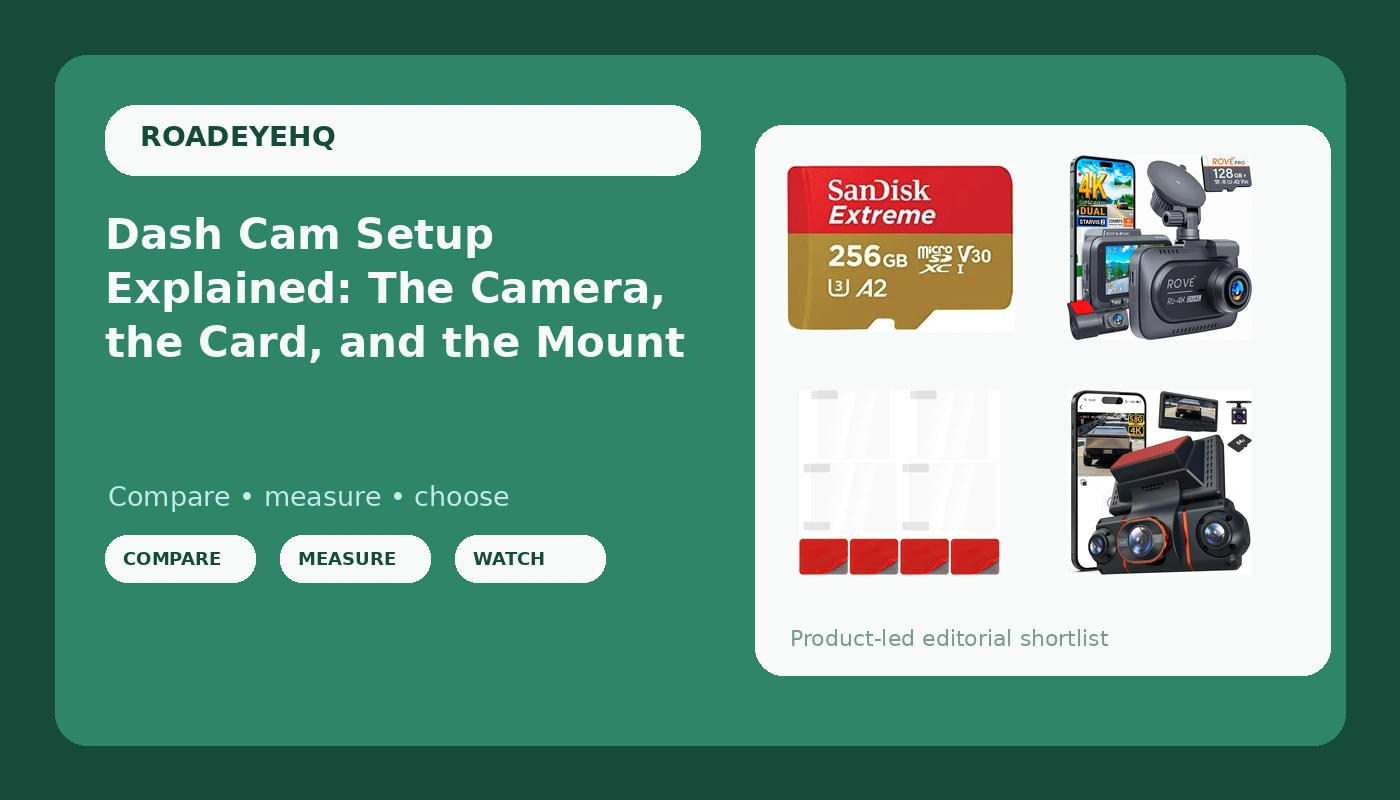
A dash cam is only as good as the weakest part of the system around it. The camera records, the card stores, the mount holds the lens steady, and the power wiring keeps everything alive through ignition cycles and heat. Most buyers shop for the camera and treat the rest as an afterthought, then go looking for a clip months later and find it corrupted, overwritten, or aimed at the headliner. That is the problem a real dash cam setup solves: not one impressive device, but four parts that each do their job under vibration, summer heat, and constant recording. Below are four products that cover those four jobs, plus the reasoning behind each one.
Related: How to Judge Dash Cam Night Footage Before You Buy →
Quick answer
A complete dash cam setup needs a camera, ideally front and rear, a microSD card built for constant rewriting, a mount that stays attached to hot glass, and power wiring that survives ignition cycles. The ROVE R2-4K dual dash cam covers the camera layer and includes a 128GB card, the 4K+1080P*3 FHD unit is the wider-view alternative, the Thinp electrostatic film set handles the mounting surface, and the SanDisk 256GB Extreme microSD card handles storage. Start with the camera, but budget for the card and the mount, because those are the two parts that fail without warning.
4 useful options
| Model | Best fit | What stands out |
|---|---|---|
| ROVE R2-4K Dual Dash Cam Front and Rear, STARVIS 2 Sensor, Free 128GB Card | Drivers who want front and rear coverage in one box | Dual-channel kit with a STARVIS 2 sensor and a bundled 128GB card |
| 4K+1080P*3 FHD Dash Cam Front and Rear, 360° Car Camera, 5.8GHz WiFi 20MB/s | Buyers who want the widest listed view | Listing describes 4K plus three 1080p FHD views and 5.8GHz WiFi at 20MB/s |
| Thinp 4 Pcs Electrostatic Film for Dash Cam, Double Sided Dash Cam Sticky Pads | Anyone fighting a mount that lets go in the heat | Four electrostatic films, double-sided pads, and an adhesion promoter |
| SANDISK 256GB Extreme microSD Card + Adapter, Up to 190MB/s Read Speeds | High-capacity storage for loop recording | 256GB capacity with read speeds listed up to 190MB/s |
The camera layer: ROVE R2-4K Dual Dash Cam Front and Rear
Rear coverage is the part single-camera buyers tend to regret skipping, because a front-only camera records the wrong direction in the collision people argue about most: the one where someone hits you from behind and the story splits. A bundled card also removes a decision that stalls a lot of first-time buyers, though it is worth checking what class of card is included and whether it is rated for constant rewriting. If it is not, a dedicated card is a cheap upgrade. The trade-off with any dual-channel kit is installation. The rear camera needs a cable run to the back glass, which takes noticeably longer than sticking one unit on the windshield.
The wide-view option: 4K+1080P*3 FHD Dash Cam Front and Rear
Extra camera angles change what you can prove. A lens that only sees straight ahead can miss a vehicle that clips your front corner or backs into your door, which is why a system described as a 360° car camera is worth understanding rather than dismissing as a gimmick. The trade-off is data volume. More channels running at 4K and 1080p fill a card faster, so capacity and write endurance matter more here than they would with a single-channel camera. WiFi speed is the other practical detail, because pulling a clip to your phone is how most people actually review footage. The 5.8GHz and 20MB/s figures come from the listing and describe transfer capability, not image quality.
The mounting layer: Thinp 4 Pcs Electrostatic Film for Dash Cam
This is the least exciting purchase in the whole setup and possibly the one that saves the most footage. A mount that releases on a 110°F afternoon leaves you with a camera pointed at the dashboard, and removing cured adhesive from glass is a job nobody enjoys. An electrostatic film gives the pad a dedicated surface that can be peeled off and replaced, and the four-pack means you are not stuck if the first application goes crooked. The adhesion promoter is the detail that separates a film that holds from one that slides, but it only works on genuinely clean glass. The trade-off is a few extra minutes at installation and the discipline to let everything sit before you drive.
The storage layer: SANDISK 256GB Extreme microSD Card + Adapter
Capacity matters because loop recording overwrites the oldest files first. A 256GB card buys you more days of history before the camera starts erasing the footage you might still need, and the fast read speed shortens the wait when you offload a clip to a laptop. The honest caveat is that this is the Extreme line, not a high endurance card. Peak read speed and write endurance are different specifications, and a camera rewrites the card continuously for as long as it is powered, which is a wear pattern that favors endurance-rated media. If you plan to run parking mode around the clock, weigh endurance as carefully as capacity.
Prices and availability may change. Product images, names, and retailer links must be matched by verified ASIN. Do not state a current price, rating, stock status, or measured result without current evidence.
Why the microSD card decides whether you have footage
A dash cam is a recorder that never stops writing. Every minute the car is running, the card is receiving new video, and once the card fills, loop recording deletes the oldest segments to make room. That cycle repeats thousands of times over a year, which is why flash memory in a dash cam lives a harder life than the same card sitting in a phone.
Two failure modes matter. The first is capacity: too small a card and your history window shrinks to a couple of hours, so footage from this morning may already be gone by the afternoon. The second is endurance. When a card wears out, it usually does not announce itself. The camera keeps showing a recording light while the newest files turn out unplayable when you finally check them.
Heat accelerates both problems. A card sitting on a windshield in direct sun runs hotter than the same card in a climate-controlled room, and heat plus constant rewriting is the combination that kills cheap media. That is why the practical habit is not "buy the biggest card" but "buy a card with enough capacity for your daily drive, then verify it works." Pull the newest file once a month, play it on a computer, and confirm the date and time stamp match reality. Format the card in the camera rather than on a desktop, since the camera's own formatting is what its file system expects.
Mounting, heat, and the glass itself
The windshield is an unforgiving surface. It gets hot enough to soften adhesives, it flexes slightly with temperature swings, and it collects dust and fingerprints that sabotage any bond. Suction cups have a well-earned reputation for releasing in high heat, and adhesive pads are only as good as the surface they are pressed onto.
An electrostatic film addresses both by giving the adhesive a clean, removable interface. The sequence matters more than the product: wipe the glass with isopropyl alcohol, let it dry completely, apply the film without trapping air, then attach the pad and let it cure before you hang the camera. Placement matters too. Mounting inside the swept area of the wipers keeps the lens clear in rain, and routing the cable along the headliner and down the A-pillar keeps it out of your field of view. On vehicles with side-curtain airbags, keep cables behind the airbag, not across it.
- Decide coverage first: a single front camera, a front and rear pair, or a multi-view system with wider listed coverage.
- Choose the card for write endurance and capacity, not for the biggest read speed number on the label.
- Pick the mounting method: adhesive pad over an electrostatic film, or a suction mount you are willing to re-seat.
- Plan power before you install: a cigarette lighter plug is simple, while parking mode needs a hardwired connection to a fuse that stays live.
- Verify the system: confirm the newest file plays, check that timestamps are correct, and look at one night clip for plate legibility.
What to check before you trust the setup
- Clean the glass with alcohol and let it dry fully, since adhesion promoters do nothing on a dusty windshield.
- Format the card inside the camera, then record a short test clip before mounting anything permanently.
- Let adhesive mounts sit for a full day before exposing them to heat or a bumpy drive.
- Review your settings, including resolution, frame rate, and loop duration, so the card is not asked to hold more than it can.
- Pull one recent clip every month and play it on a computer, replacing the card if it will not open cleanly.
Which option should you choose?
Choose the ROVE R2-4K Dual Dash Cam Front and Rear when you want front and rear coverage plus a card in the same box. Choose the 4K+1080P*3 FHD Dash Cam Front and Rear when the widest listed coverage is what you are after. Choose the Thinp 4 Pcs Electrostatic Film for Dash Cam when your mount has already let go once, and choose the SANDISK 256GB Extreme microSD Card + Adapter when you need capacity for a long loop and fast offload.
None of these decisions substitutes for checking your own installation. The 360° description and the WiFi speed figure are listing specifications, not promises about what a clip will look like in the dark, and the card's read speed says nothing about how long it will last under constant rewriting.
The bottom line
A dash cam setup is four purchases pretending to be one. The camera gets the attention, but the card determines whether the footage still exists next week and the mount determines whether the camera was pointing the right way when it mattered. Buy the camera for the coverage you need, buy the card for endurance and capacity rather than a headline read speed, and spend the few extra dollars on the mounting layer. Then do the part almost nobody does: verify that the newest file plays before you need it.