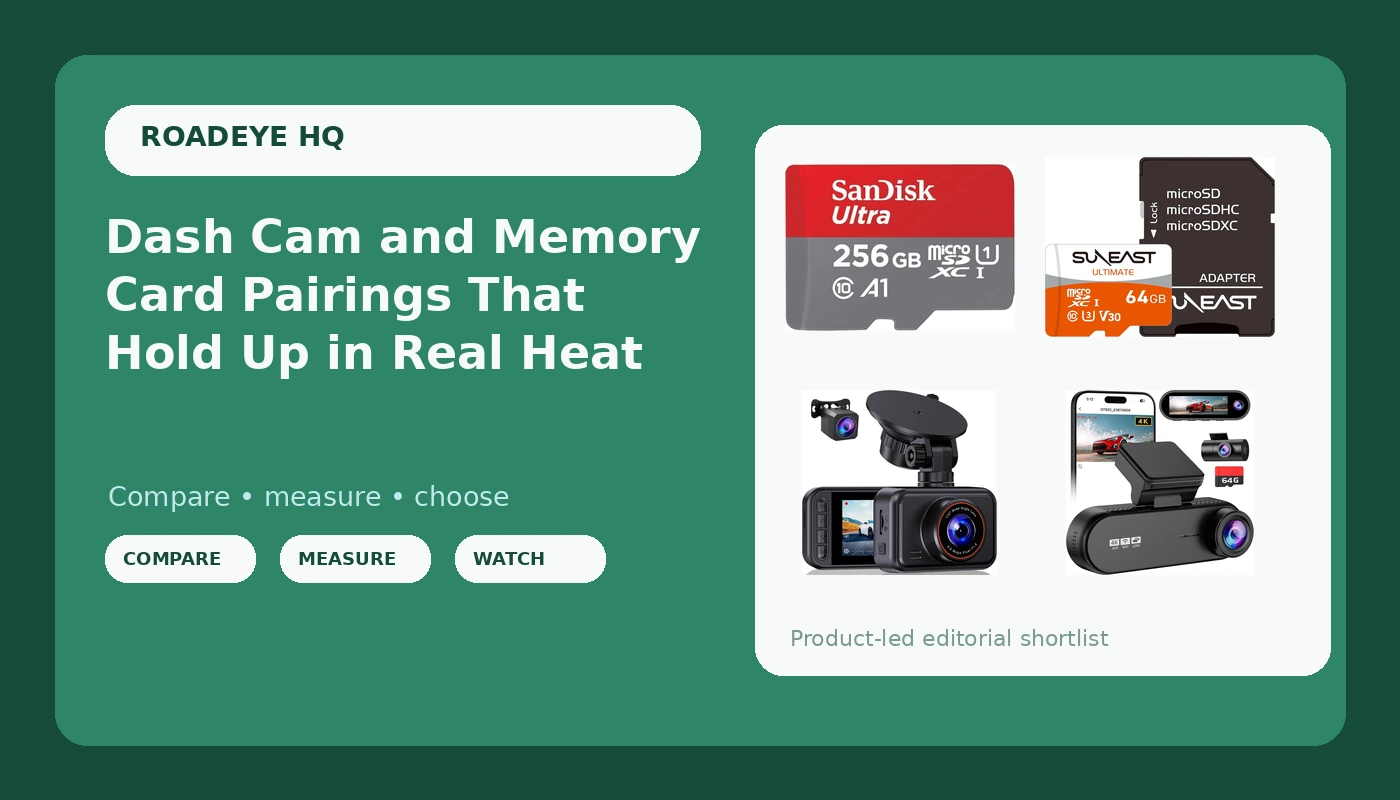
A dash cam memory card and a dash cam body are one system, and the failure usually happens in the cheaper half. Drivers spend weeks comparing camera specs, then grab whatever microSD card is on the shelf, and a few months later the loop recording has quietly stopped overwriting or the clip that mattered is a corrupted file. I drove rideshare in Phoenix for six years, roughly 40,000 miles a year on I-10 and the 101, and I have kept every dead card and swollen battery that came out of my own windshield as a reminder. This explainer covers the four options here, what each one is genuinely for, and how to pair a camera with storage so the setup still works in July.
Related: How to Hardwire a Dash Cam for Parking Mode →
Quick answer
For front and rear coverage at the lowest entry point, the 2.5K+1080P dual camera is the straightforward pick. If you want a third channel, a 170 degree lens, WiFi app control, and parking monitor features, the 4K three-channel unit covers more of the car. For storage, the 256GB SanDisk card suits long loop cycles and the 64GB SUNEAST card suits a spare or a low-cost second card. One caution applies to both cards: neither listing states a high-endurance rating, so verify endurance on the packaging before you rely on a card for constant recording in a hot car.
Four useful options
| Model | Best fit | What stands out |
|---|---|---|
| Dash Cam Front and Rear for Cars, 2.5K+1080P Dual Camera with 2" Screen | A first dual-channel setup | 2.5K front plus 1080P rear in one unit, 2 inch screen |
| 4K 3 Channel Dash Cam Front Rear for Car, True 170° Wide Angle, 3.19" IPS Screen 2.4G WiFi Custom APP Control, Loop Recording Collision Lock G-Sensor Parking Monitor, 256GB Storage Max | Three-channel coverage with app control | Three channels, 170 degree lens, 3.19 inch screen, WiFi app, parking monitor, supports cards up to 256GB |
| SANDISK 256GB Ultra microSD Card + Adapter, Up to 150MB/s Read Speeds | Long loop cycles and high capacity | 256GB capacity with adapter, up to 150MB/s read speed |
| SUNEAST 64GB(1Pack) Micro SDXC Memory Card with SD Adapter | A spare or second card | 64GB capacity with SD adapter |
The entry dual-channel pick: Dash Cam Front and Rear for Cars, 2.5K+1080P Dual Camera with 2" Screen
Rear coverage is the part people skip, and it is the part that decides a rear-end claim. Two drivers hit me from behind over six years, and the second one settled in nine days because there was footage of the impact and the other car's plate. A dual-channel unit like this one is the cheapest way to close that gap. The trade-off is a small 2 inch screen and no WiFi or app control mentioned in the listing, so pulling a clip means taking the card out and reading it on a computer. That is fine if you keep a card reader in the glovebox, and it is annoying if you do not.
The three-channel option: 4K 3 Channel Dash Cam Front Rear for Car, True 170° Wide Angle, 3.19" IPS Screen 2.4G WiFi Custom APP Control, Loop Recording Collision Lock G-Sensor Parking Monitor, 256GB Storage Max
Three channels change what you can prove. A wide 170 degree front lens catches cross traffic that a narrower lens clips off at the edges, and an interior or rear channel adds context an adjuster can actually use. Two things to weigh honestly. First, parking monitor only works the way people imagine it if the camera is hardwired to the fuse box; on a cigarette lighter it dies with the ignition. Second, a 4K label is a resolution number, not a promise about how much detail survives motion. Check the sensor and the bitrate before assuming plates will be readable at 40 mph. The 256GB ceiling is also worth noting, because it sets the largest card this camera will take.
The high-capacity card: SANDISK 256GB Ultra microSD Card + Adapter, Up to 150MB/s Read Speeds
Read speed is the number printed on the card, and it is not the number that keeps recording stable. Recording depends on sustained write performance, which most listings do not advertise. What capacity buys you is time: more hours of footage before the oldest file is overwritten, which matters if you park overnight and want the previous evening still on the card. The adapter is a genuinely useful inclusion, because reviewing a clip on a laptop is faster and more reliable than squinting at a camera screen. Match it to a camera that supports 256GB, and confirm endurance wording on the packaging rather than assuming it.
The low-cost second card: SUNEAST 64GB(1Pack) Micro SDXC Memory Card with SD Adapter
A spare card solves a specific problem: the moment you suspect a card is failing, you need a known-good replacement to test with, and you need it in the car rather than shipping in two days. At 64GB, a three-channel camera will cycle through it quickly, so think of it as a diagnostic tool and an emergency card rather than the main storage plan. Swap it in, record a week, and compare. If the new card behaves and the old one does not, you have found your failure without guessing.
Prices and availability may change. Product images, names, and retailer links are matched to verified listings. No current price, rating, stock status, or measured result is stated here without current evidence.
Why the card fails before the camera does
A dash cam writes continuously for as long as the ignition is on, and it overwrites the oldest files to keep doing it. That is a punishing workload for a memory card, and it is completely different from the occasional burst of photos a phone card handles. Two things break cards: write cycles and heat. A parked dashboard in a Phoenix summer is one of the harshest storage environments a consumer card will ever see, and a card that has been heat-stressed can fail in a way that looks like nothing at all. The camera boots, the screen lights up, and the recording silently stops.
That is why the phrase to look for on packaging is high endurance, and why a standard card, even a good one, is a gamble for constant recording. High-endurance cards are built and warrantied for exactly this pattern of writing. Neither card here states that rating in its listing, so the honest move is to check the physical packaging and the manufacturer's warranty language for dash cam or surveillance use before you commit a card to a camera that runs every time you drive.
The other failure mode is quieter: loop recording that stops looping. If the card fills and the camera stops overwriting, you can drive for weeks believing you are covered while the only footage on the card is stale. Reformat the card in the camera on a schedule, and spot-check the newest file every month or so to confirm the timestamp is actually current.
Sizing a card to your recording load
- Count your channels and their resolutions. A single 1080P front camera and a three-channel setup with a 4K front write very different amounts of data per hour.
- Estimate hours, not gigabytes. Ask how much driving time you want retained before the oldest clip is overwritten, then work backward to capacity.
- Add headroom. Leave room above your estimate, because bitrate, parking mode events, and locked collision files all consume space that loop recording will not reclaim.
- Confirm the camera's supported ceiling. A card larger than the camera supports may not work at all, so check the listed maximum before buying.
- Verify endurance and warranty terms for constant recording, then reformat the card in the camera before first use.
Getting the install and the heat story right
- Hardwire to the fuse box if you want parking monitor to function while the car is off. The cigarette lighter socket is dead when the ignition is off.
- Favor capacitor-based cameras in hot climates. Lithium batteries on a dashboard are the failure point, not the lens.
- Mount the front camera high and centered near the rearview mirror, and keep the lens inside the wiper sweep so rain and dirt do not blur it.
- Check the newest recorded file monthly, not the folder listing. A file that exists is not a file that plays.
- Keep a spare card and a card reader in the car. Most footage problems are storage problems, and you want to test that on the roadside rather than at home.
Which option should you choose?
Choose the Dash Cam Front and Rear for Cars, 2.5K+1080P Dual Camera with 2" Screen when you want front and rear coverage with the least complexity and no app in the middle. Choose the 4K 3 Channel Dash Cam Front Rear for Car when you want three angles, a wide 170 degree lens, phone-based clip review, and parking monitor features you are willing to hardwire properly. Choose the SANDISK 256GB Ultra microSD Card + Adapter when capacity and long retention matter and your camera supports 256GB. Choose the SUNEAST 64GB Micro SDXC Memory Card with SD Adapter when you want a low-cost spare for testing and emergencies.
One caveat before you buy: nothing here has been measured on a test bench or in a lab, and no listing above states a high-endurance rating, a write speed, or a bitrate. Resolution figures and read speeds come from the product names. Treat endurance and sustained write performance as things to confirm on the packaging, and treat night footage as something to judge from sample clips rather than from a spec line.
The bottom line
Pick the camera for the coverage you actually need, then spend real attention on the card, because the card is the part that decides whether the footage exists when someone asks for it. A dual-channel 2.5K setup is the simplest way to cover both ends of the car, a three-channel camera adds angles and app convenience for drivers willing to wire it correctly, and a 256GB card buys retention while a 64GB spare buys certainty. None of it works in a Phoenix summer unless the card is rated for constant recording and the camera can take the heat.