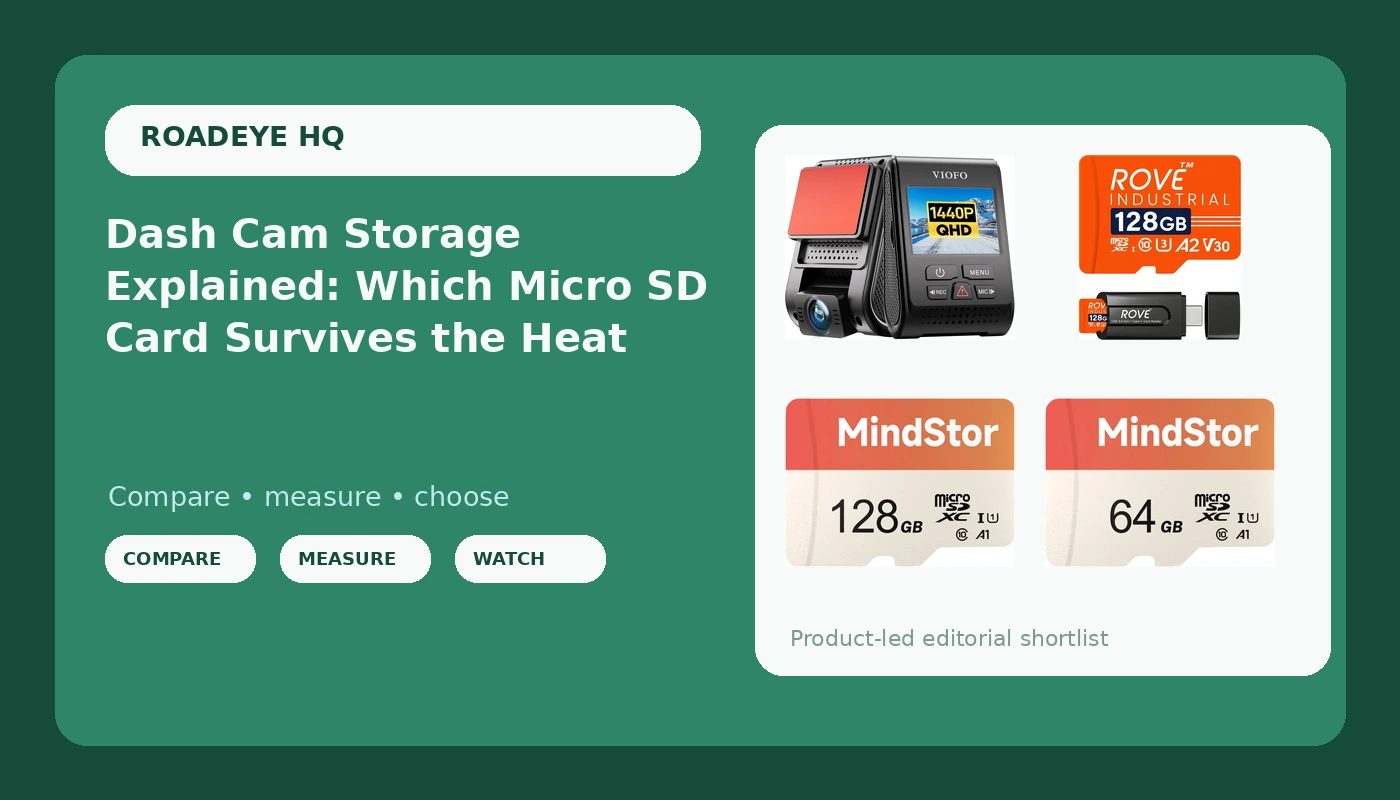
Every dash cam argument eventually comes down to one file: the clip. And every clip lives on a dash cam micro SD card that most drivers buy last, cheapest, and without thinking about it. That order is backwards. The camera is a lens, a sensor, and a processor. The card is the part that actually writes, holds, and hands back the evidence. When a card fails, the camera usually does not warn you in any way you would notice. It keeps blinking, keeps beeping, keeps looking healthy on the windshield, and the footage from the one minute you needed simply is not there.
This explainer covers the storage half of a dash cam setup. It walks through what a high endurance rating really means, how capacity and bitrate decide how far back your recordings reach, why the U1 and A1 markings matter less than shoppers assume, and how to pair a card with a camera such as the VIOFO A119 V3. Four options are covered below, one camera and three cards, each doing a different job in the same system.
Related: Dash Cam Night Footage: What Actually Decides a Claim →
Quick answer
A dash cam micro SD card should carry a high endurance rating if the camera records continuously, and it should be sized to hold at least a full day of looped footage before it starts overwriting. For a 2K front camera, a 128GB high endurance card is the practical default, a 64GB card covers shorter commutes, and a standard 128GB card works well as a spare or a second vehicle card. Match the card to how the camera writes, not to the biggest number on the packaging.
4 useful options
| Model | Best fit | What stands out |
|---|---|---|
| VIOFO A119 V3 Dash Cam | The camera that creates the files | 2K front recording with GPS and True HDR |
| ROVE Industrial 128GB High Endurance Micro SD Card | Continuous recording in a hot car | High endurance rating plus a USB 3.0 card reader in the box |
| 128GB Micro SDXC Memory Card, 90MB/s Read, U1, A1 | A large card at a lower cost per gigabyte | 128GB capacity with a full size adapter included |
| 64GB Micro SDXC Memory Card, 90MB/s Read, U1, A1 | Short commutes and spare duty | 64GB capacity in the same U1, A1 spec family |
The camera: VIOFO A119 V3 Dash Cam
The trade off with a single channel camera is coverage. You get one view, straight ahead, and nothing behind you. Rear end collisions are the most common claim a driver faces, and a front only camera will not show the car that hit you from behind. What it does give you is a clean, GPS tagged record of what happened in front of the vehicle, which covers red light disputes, lane change arguments, and the classic "you cut me off" accusation.
The other trade off is storage pressure. A 2K stream writes considerably more data per second than a 1080p stream, which means the card fills faster, loops more often, and accumulates write cycles more quickly. That single fact is why the card matters as much as the camera in a 2K setup.
The high endurance pick: ROVE Industrial 128GB High Endurance Micro SD Card
The included reader is not filler. Dash cam cards get pulled, and the moment you need footage is the moment you discover your laptop has no micro SD slot. A reader in the box removes one step from the worst possible day.
The honest trade off is cost per gigabyte. Endurance rated cards cost more than general purpose cards at the same capacity, and the difference is not visible in day to day use. It shows up eighteen months in, when a cheaper card has been overwritten thousands of times and starts throwing file errors. If the camera runs every time the ignition turns, this is the category to buy from.
The large capacity value pick: 128GB Micro SDXC Memory Card
Read speed is the number shoppers stare at, and it is the number that matters least here. A dash cam writes continuously and reads only when you pull a clip. The U1 rating describes a minimum sustained write speed class, and A1 describes app performance on phones and tablets, which a dash cam ignores entirely. What this card offers is a large amount of space at a lower cost per gigabyte than an endurance rated card.
That makes it a reasonable choice for a second vehicle, a car that only gets driven a few times a week, or as a card you keep formatted and ready as a spare. It is a weaker fit for a camera that records every single day, because general purpose cards are not built around the constant rewrite cycle.
The smaller capacity pick: 64GB Micro SDXC Memory Card
Capacity is a coverage question, not a quality question. A 64GB card records exactly as well as a 128GB card, it just holds fewer hours before the loop starts overwriting the oldest files. For a driver with a twenty minute commute, that is not a problem. For a driver who spends nine hours a day on the road, a 64GB card means yesterday's footage is already gone by the time you think to look for it.
The other sensible use is a rotating spare. Keep a second card formatted and in the glovebox so you can swap on the roadside instead of deleting files you might still need.
Prices and availability may change. Product images, names, and retailer links must be matched by verified ASIN. Do not state a current price, rating, stock status, or measured result without current evidence.
What "high endurance" actually means
Flash memory wears out by writing. Every time data is written to a cell, that cell degrades slightly, and after enough cycles it can no longer hold a reliable charge. A card in a phone writes occasionally. A card in a dash cam writes constantly, every second the car is running, and then rewrites over the oldest footage again and again. The same physical cells get hammered thousands of times a year.
High endurance cards are built and binned for that workload. The controller manages wear differently, the memory is selected for cycle tolerance, and the card is validated against continuous recording rather than burst photography. That is the entire value proposition. It is not faster in any way you would notice, and it does not produce better looking video.
Heat is the second half of the story. A car parked in direct sun turns the windshield into a slow oven, and memory cards have a temperature range where they behave reliably and a range where they start throwing errors. A card that is already near the end of its write life is the one most likely to corrupt at exactly the wrong moment. This is also why the camera's power source matters: a camera built around a capacitor handles dashboard heat far better than one built around a lithium battery, which is a separate decision from the card but part of the same heat problem.
One practical note: the endurance claim should be verified on the card and its packaging, not just in a product listing. If a card does not carry the rating on the label, treat it as a general purpose card regardless of what the store page implies.
Capacity, bitrate, and how far back your footage reaches
Bitrate is the amount of video data recorded per second, and it is the number that quietly decides how much card you need. Two cameras can both claim 2K and write very different amounts of data, because resolution describes the frame and bitrate describes how much detail is packed into it.
The arithmetic is simple. Take the camera's bitrate in megabits per second, divide by eight to get megabytes per second, then multiply by 3600 for one hour of recording. A camera writing 20 Mbps produces roughly 9GB per hour. At that rate, a 64GB card holds about seven hours before looping, and a 128GB card holds roughly fourteen. Drop the bitrate and those numbers stretch. Raise it and they shrink. Check the actual bitrate your camera uses rather than assuming.
Loop recording is what makes this workable. The camera fills the card, then overwrites the oldest unprotected files with new ones. The card is a rolling window, not an archive. Two consequences follow: the window is only as long as your card allows, and anything you want to keep has to be locked or copied off the card before the loop reaches it.
- Decide how many hours of driving you want inside the rolling window, then check your camera's bitrate to convert that into gigabytes.
- Choose the endurance rating based on how often the camera records, not on how much footage you want to store.
- Confirm the card's write class meets the camera's stated requirement, and remember that read speed tells you nothing about write endurance.
- Format the card in the camera itself, not on a computer, so the file system matches what the camera expects.
- Verify the card is genuine and the endurance rating appears on the label, then test it by recording and playing back a clip before you rely on it.
Practical guidance
- Format a new card inside the camera before first use, and reformat it periodically rather than deleting files by hand.
- Check the card every month by pulling one recent clip and confirming it plays with audio and a correct timestamp.
- Rotate between two cards if the camera runs daily, so each card shares the write cycles instead of one card absorbing all of them.
- Keep the USB 3.0 reader or the SD adapter with the car paperwork, because you will need the footage somewhere other than the camera.
- Replace a card at the first sign of file errors, missing clips, or a camera that reports a card problem, rather than reformatting and hoping.
- Do not move a card between a phone, a tablet, and a dash cam. Different devices write in different patterns and leave behind structures the camera may not handle well.
Which option should you choose?
Choose the VIOFO A119 V3 Dash Cam when you want a 2K front view with GPS data attached to the footage and you accept that you are covering the road ahead, not behind you. Choose the ROVE Industrial 128GB High Endurance Micro SD Card when the camera records on every drive and the car lives in a hot climate, since the endurance rating and the included reader both address the daily reality of dash cam storage. Choose the 128GB Micro SDXC Memory Card when you want a large card at a lower cost per gigabyte for a second vehicle, a part time driver, or a spare. Choose the 64GB Micro SDXC Memory Card when your drives are short and a smaller rolling window is genuinely enough.
A caveat worth stating plainly: card ratings describe how a card is built and tested, not how it will perform in your specific car, camera, and climate. Heat exposure, recording habits, and camera firmware all affect real world longevity. Buy from the endurance category if the camera runs constantly, verify the rating on the label, and test playback before you need it. No card is a substitute for checking that your camera is actually recording.
The bottom line
Storage is the least glamorous part of a dash cam system and the part most likely to decide whether your footage exists. A 2K front camera writes a lot of data, a hot dashboard shortens the life of any card, and the difference between a general purpose card and a high endurance card only becomes visible when it matters. Size the card to your driving, choose endurance if the camera runs every day, format it in the camera, and verify playback on a schedule. The clip you never checked is the clip you will not have.