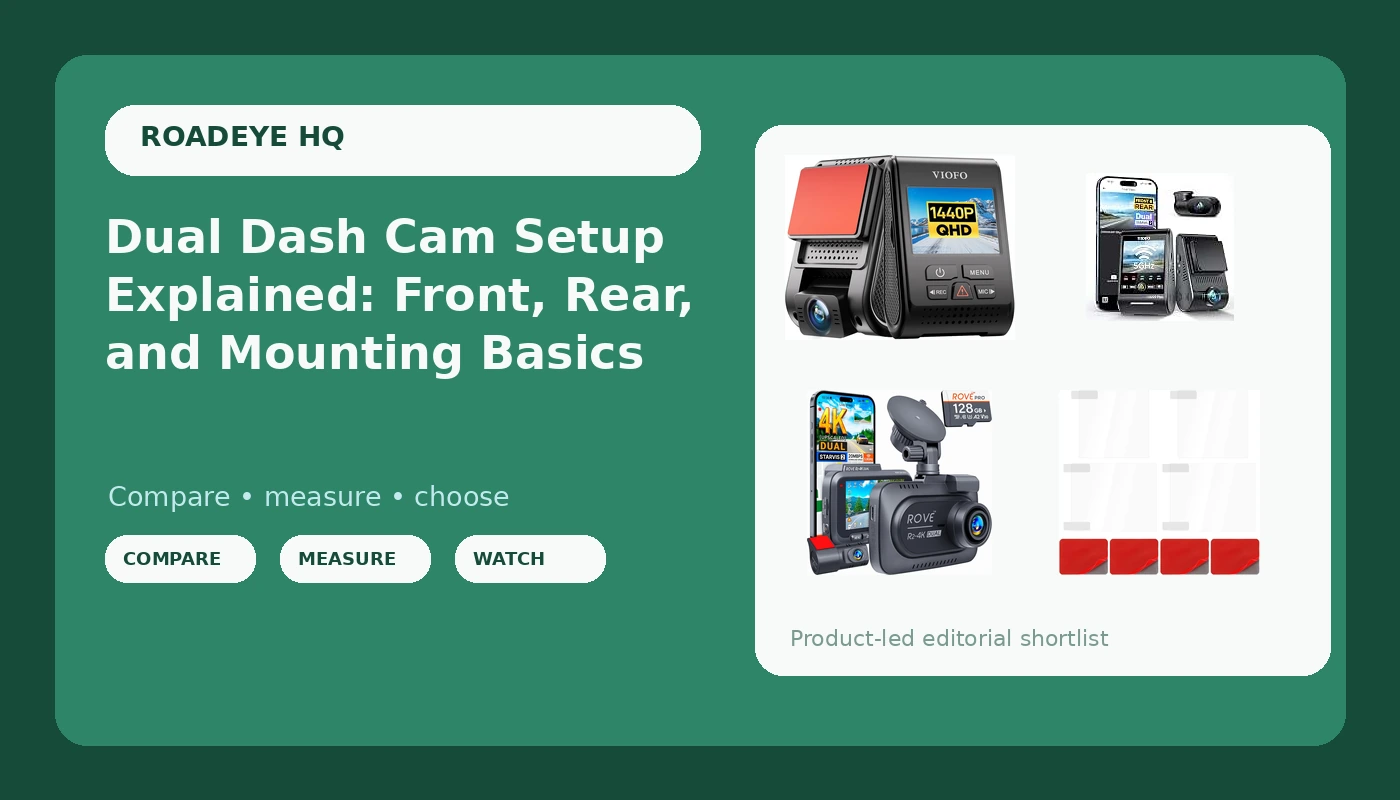
A dual dash cam setup is really three purchases pretending to be one: a camera, a memory card, and a way to keep that camera stuck to glass that bakes in the sun. Most shoppers research the first item for a week and decide the other two in the checkout aisle. That order is backwards. A dual dash cam setup only earns its keep if the rear channel is actually aimed, the card can survive constant rewriting, and the mount is still holding the camera on the day you need the clip.
This guide covers four pieces of hardware that map onto the common configurations: two dual-channel cameras at different points on the price ladder, one single-channel camera for drivers who only want the windshield view, and the inexpensive accessory that fixes the most frequent mounting failure. It explains what each product is for, what it does not do, and how to decide between them without guessing.
Related: How to Hardwire a Dash Cam for Parking Mode →
Quick answer
For drivers who want one installation covering both ends of the car, a dual-channel camera with STARVIS 2 sensors and HDR on both channels, such as the VIOFO A229 Plus, is the sensible starting point. If the budget matters more than the newest sensor generation, the ROVE R2-4K records front and rear and ships with a 128GB card in the box. If you only want the windshield view, the VIOFO A119 V3 records a single 2K channel with GPS and HDR. Whichever camera you pick, add a pack of heat-resistant electrostatic film so the mount does not become the weak link.
Four useful options
| Model | Best fit | What stands out |
|---|---|---|
| VIOFO A229 Plus Dash Cam Front and Rear | Drivers who want front and rear coverage from one kit | Dual 2K STARVIS 2 sensors with HDR across the front and rear channels |
| ROVE R2-4K Dual Dash Cam Front and Rear | Buyers who want a dual setup plus a card included | Front and rear recording with a STARVIS 2 sensor and a bundled 128GB card |
| VIOFO A119 V3 Dash Cam | Windshield-only coverage | Single 2K front channel with GPS and true HDR |
| Thinp 4 Pcs Electrostatic Film for Dash Cam | Anyone mounting, moving, or re-mounting a camera | Four heat-resistant electrostatic films with an adhesion promoter included |
The dual-channel pick: VIOFO A229 Plus Dash Cam Front and Rear
The reason a dual-channel kit like this sits at the top of the list is coverage, not specs. A front-only camera answers "what did I hit." A front and rear pair also answers "what hit me," which is the question that decides most rear-end and lane-change disputes. STARVIS 2 sensors are the newer generation of the sensor family VIOFO has used across its line, and HDR matters most in the exact conditions where footage usually fails: oncoming headlights, tunnel exits, and deep shade under a freeway overpass.
The trade-off is data volume and installation effort. Two 2K channels write more to the card than one, so the card needs to be sized and rated for constant recording, and you have to route a cable from the windshield to the rear glass. That cable run is the part most buyers underestimate. It is not difficult, but it is the reason a lot of dual-channel cameras end up running as front-only cameras three weeks after installation.
The value dual-channel pick: ROVE R2-4K Dual Dash Cam Front and Rear
The included card is the detail worth paying attention to, because the card is the part of the system people skip. A bundled 128GB card means you can install the camera and start recording the same afternoon instead of waiting on a separate order. It also means you should check what you actually received: look at the rating printed on the card itself, confirm whether it carries a high endurance rating, and confirm the capacity. If it is a standard card rather than a high endurance card, it still works, but constant loop recording plus summer heat is exactly the combination that shortens card life.
Beyond the card, this is a conventional dual-channel layout: front unit, rear camera, one cable between them, and the same routing job described above. It is the option to consider when you want both directions covered and you would rather not assemble the system piece by piece. What it does not change is physics. Any camera mounted on a windshield in a hot climate is fighting the same heat, which is why the mounting accessory below applies to this camera just as much as to the others.
The single-channel pick: VIOFO A119 V3 Dash Cam
Single-channel cameras get dismissed as the beginner option, which is unfair. They install in minutes, they write half the data, they generate less heat because there is one recording channel instead of two, and they cover the collision type that most drivers actually experience: a front-end impact. GPS is the underrated feature here, because a clip with a timestamp, a location, and a speed reading is far more useful to an adjuster than a clip with a timestamp alone.
The obvious limitation is that nothing records behind you. If you are rear-ended, a single-channel camera can show that you were moving forward and that you did not brake abruptly, which helps, but it cannot show the other vehicle. It also cannot show a lane-change dispute that happens behind your rear bumper. If your driving is mostly solo commuting on open roads, that gap is small. If you drive in dense traffic, or you carry passengers, the gap is the whole point of buying a camera.
The mounting accessory: Thinp 4 Pcs Electrostatic Film for Dash Cam
This is the least exciting item here and the one that prevents the most common failure. Adhesive mounts let go. Sometimes that is because the glass was not clean, sometimes because the adhesive was applied in cold weather and never fully cured, and sometimes because the pad simply ages out after a summer or two of heat cycling. When the mount releases, the camera swings on its cable, points at the dashboard, and records nothing useful until you notice.
An electrostatic film changes the equation by giving the adhesive something to bond to that is not the windshield itself, and by letting you reposition the camera without scraping glue off the glass. The adhesion promoter is the step people skip and should not, because it is what makes the film sit flat and stay put. The trade-off is that this is a consumable, not a permanent fix: bubbles under the film will hurt the bond, a badly designed mount will still fail, and the pack covers four mounting attempts, not four cameras forever.
Prices and availability may change. Product images, names, and retailer links must be matched by verified ASIN. Do not state a current price, rating, stock status, or measured result without current evidence.
How a dual dash cam setup actually works
A dual-channel system records two video streams at once from one processor. The front camera is the primary channel and usually the higher-priority one; the rear camera is the secondary channel. Both write to the same memory card, and the recorder splits the card between them. That split is why two-channel recording eats capacity faster than a single camera, and why the card you choose matters more in a dual setup than in a single-camera one.
Three numbers decide whether the footage is usable. Bitrate is the amount of video data recorded per second, and it is the spec nobody checks: a high-resolution camera with a low bitrate can look worse than a lower-resolution camera with a generous one. Field of view is how wide the lens sees, and roughly 140 degrees is the practical sweet spot, because a narrower lens misses the side of your own car while a much wider lens stretches the edges of the frame and turns distant plates into smudges. HDR is high dynamic range, which is what keeps both the bright and dark parts of a scene readable when you are facing low sun or oncoming headlights.
GPS and loop recording round out the picture. GPS stamps the clip with location and speed, which is useful context when you hand footage to an insurer. Loop recording overwrites the oldest footage once the card fills, which is what lets the camera run indefinitely without you managing files. What loop recording does not do is protect an event clip from being overwritten, which is why you should understand how your camera locks a clip before you need one.
Why heat, cards, and mounting decide how long it all lasts
Heat is the quiet killer of dash cams. A parked car's interior can reach temperatures that cook components, and the two parts most affected are the power source and the memory card. Cameras built with capacitors handle heat far better than cameras built with lithium batteries, which can swell and fail in a hot climate. If you live somewhere with brutal summers, capacitor-based power is a feature worth confirming before you buy, not after.
Cards fail the same way. Constant loop recording means the card is being written and rewritten continuously, and a standard card used that way degrades faster than a high endurance card rated for exactly that workload. Check the rating printed on the card itself rather than trusting the listing. A card that silently stops accepting writes gives you a camera that appears to be recording and is not, which is worse than a camera that visibly fails.
Parking mode is the third variable. A camera that keeps recording while the car is off needs power when the ignition is off, which means hardwiring it to the fuse box rather than using the cigarette lighter. Parking mode claims are only meaningful when the camera is wired correctly and the car battery can take the drain. Mounting rounds out the list, because all of the above is irrelevant if the camera is pointing at your dashboard.
- Decide whether you need rear coverage. If you drive in traffic or carry passengers, buy dual-channel. If you drive mostly alone on open roads, a single-channel camera covers the common case for less money and less wiring.
- Pick the channel count first, then the sensor generation. Two channels with STARVIS 2 sensors and HDR covers the widest range of conditions. One channel with 2K and HDR covers the windshield view well.
- Budget for the card separately unless the kit includes one. Confirm the card's rating on the card itself, and plan to replace a standard card with a high endurance card for constant recording.
- Plan the mount before the install. Clean the glass, use an electrostatic film and the adhesion promoter, and give the adhesive time to cure in warm conditions rather than installing in a cold garage.
- Verify the install the same day. Check that both channels are aimed correctly, that the card is recording, and that loop recording is actually cycling rather than stopping when the card fills.
Practical guidance before you buy
- Match the camera to the coverage you need, not the resolution on the box. Two channels at 2K will help you more often than one channel at a higher number.
- Check the power source. Capacitors tolerate heat far better than lithium batteries, and a dashboard is one of the hottest surfaces in a parked car.
- Treat the memory card as part of the system, not an afterthought. Confirm a high endurance rating on the card itself.
- Buy the mounting film at the same time as the camera. It costs very little, it is the difference between a mount that holds and a camera that ends up dangling, and you will want a spare.
- Confirm parking mode requirements before you rely on it. It needs a hardwired connection to the fuse box, and it needs a car battery that can handle the drain.
- After installation, pull a clip and watch it. If you cannot read a plate or a sign in the footage, adjust the aim and the settings now rather than after an incident.
Which option should you choose?
Choose the VIOFO A229 Plus Dash Cam Front and Rear when you want both directions covered from one kit and you are willing to route the rear cable. Choose the ROVE R2-4K Dual Dash Cam Front and Rear when you want front and rear coverage and you would rather have the memory card included from the start. Choose the VIOFO A119 V3 Dash Cam when your driving is mostly solo and forward-facing, and you want the simplest installation with GPS and HDR. Choose the Thinp 4 Pcs Electrostatic Film for Dash Cam regardless of which camera you buy, because mounting failure is the most preventable problem in this entire setup.
One caveat applies to all of it. Product listings change, bundled accessories change, and the card that ships with a kit is not always the card you would have chosen yourself. Verify what arrives, check the rating on the card, and test the system before you depend on it. Nothing here substitutes for reading your own camera's manual on loop recording, event locking, and parking mode wiring.
The bottom line
A dual dash cam setup is a system, not a single purchase. The camera decides what you can prove, the card decides whether it keeps recording, and the mount decides whether the camera is still aimed at the road when something happens. Start with coverage: front and rear if you drive in traffic, front only if you do not. Then confirm the sensor generation and HDR on the channel that matters, budget for a properly rated card, and spend the few extra dollars on electrostatic film so the installation survives its first hot summer. Get those four decisions right and the rest is detail.
Prices and availability change, so confirm current details on the product page before you buy.